Recruitment process automation

Recruitment process automation for reminders, handoffs, and SLA reliability

Stop running hiring workflows from memory. Use ATS automations for stage-based follow-ups, internal notifications, candidate follow-up automation, and SLA alerts that keep active pipelines moving without turning the process robotic.

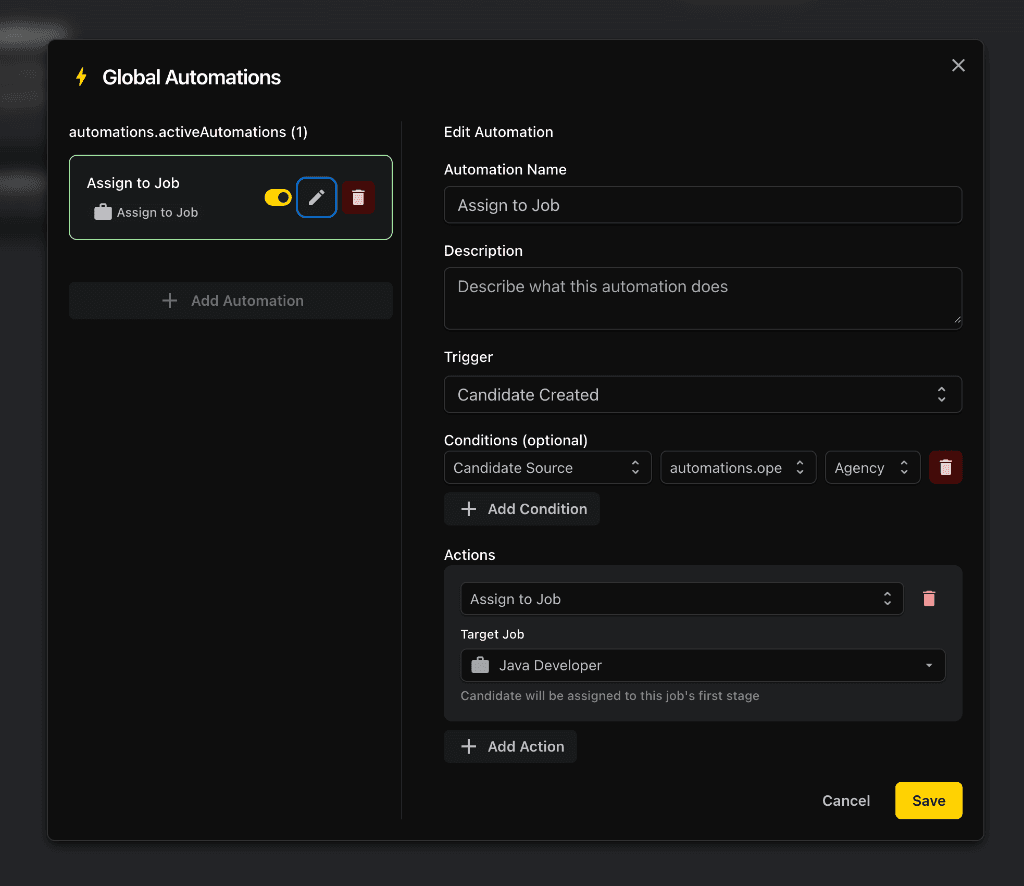
Workflow rules for stage changes, reminders, and candidate follow-up automation
Internal notifications and SLA alerts that expose delays before candidates go cold
A practical way to automate first without overcomplicating the hiring flow
Commercial setup that helps smaller HR teams start with a few high-value rules
GoJobee recruitment process automation workflow view

Why workflows slow down without automation

Hiring teams rarely lose momentum because strategy is wrong. They lose it because handoffs, reminders, and next-step emails rely on memory. Once several roles run in parallel, preventable delays become part of the process.

What should be automated first

Start with low-judgment, repeatable tasks: stage-based rules, inactivity reminders, internal notifications, and SLA alerts. Those create the fastest reliability gain with the lowest process risk.

How to keep it commercially useful

Good recruitment process automation should help teams start small. If a workflow needs a training deck to explain it, you have already overbuilt the rules.

What a practical automation setup includes

The highest-value ATS automations usually support reliability rather than novelty. Use workflow rules where missed follow-up or unclear ownership is already slowing the team down.

  • Send the correct next-step or rejection message when a stage changes
  • Notify the next owner when a candidate needs review
  • Trigger a reminder when no action happens after a defined number of hours
  • Raise an SLA alert when a candidate waits past the target response window

Best fit teams for workflow automation

Teams gain the most when recruiters handle several open roles, hiring managers join late, or candidate experience depends on timely communication across many stakeholders.

Smaller HR teams that need predictable follow-up without extra admin overhead.

Growing teams that need hiring workflow automation before pipeline chaos becomes normal.

Cross-functional teams that want clearer ownership and fewer silent delays.

Step 1

Automate stage-based follow-ups first

When a candidate changes stage, the next action should not depend on memory. Start with rules that send the right internal task or candidate message immediately after a stage update.

  • Standardize what happens after screening, interview, and rejection stages
  • Reduce manual copying of the same candidate status messages
  • Make ownership clearer for the next reviewer in line

Step 2

Add reminder logic before delays become normal

Most hiring workflows do not break all at once. They slow down silently. Reminder logic protects candidate experience by surfacing inactivity before a stalled step becomes a missed opportunity.

  • Trigger reminders when interview feedback is missing
  • Keep candidate follow-up automation tied to real stage inactivity
  • Reduce the number of silent gaps across active roles

Step 3

Use internal notifications and SLA alerts for reliability

Automation is not only about candidate emails. Internal notifications and SLA alerts are often the highest-value workflows because they expose bottlenecks early and give recruiters a way to escalate before candidates churn out.

  • Alert the team when a candidate waits too long in one stage
  • Push overdue actions back to the right owner instead of the whole team
  • Support process discipline with visible workflow reliability rules

Recruitment process automation FAQ

What is the best first automation in recruitment?

For most teams, stage-change communication and inactivity reminders create the fastest operational gain. They reduce missed follow-ups without changing the human decision model.

Does automation reduce the human side of hiring?

Not when it is implemented well. Automation should remove repetitive admin such as reminders, handoffs, and status-driven messages so recruiters can spend more time on candidate conversations and decision quality.

How many workflow rules should a team start with?

Start with three to four rules around stage changes, internal reminders, and SLA alerts. If the workflow becomes hard to explain, the setup is already too heavy.

How do you know whether automation is working?

Look at delayed candidates, interview-to-feedback time, missed handoffs, and overall process consistency. The goal is not more activity. The goal is fewer preventable delays.

Ready to remove avoidable workflow delays from hiring?

Start with a small set of recruitment process automation rules, review the operational lift, and expand only where reminders, handoffs, and SLA alerts create visible hiring value.