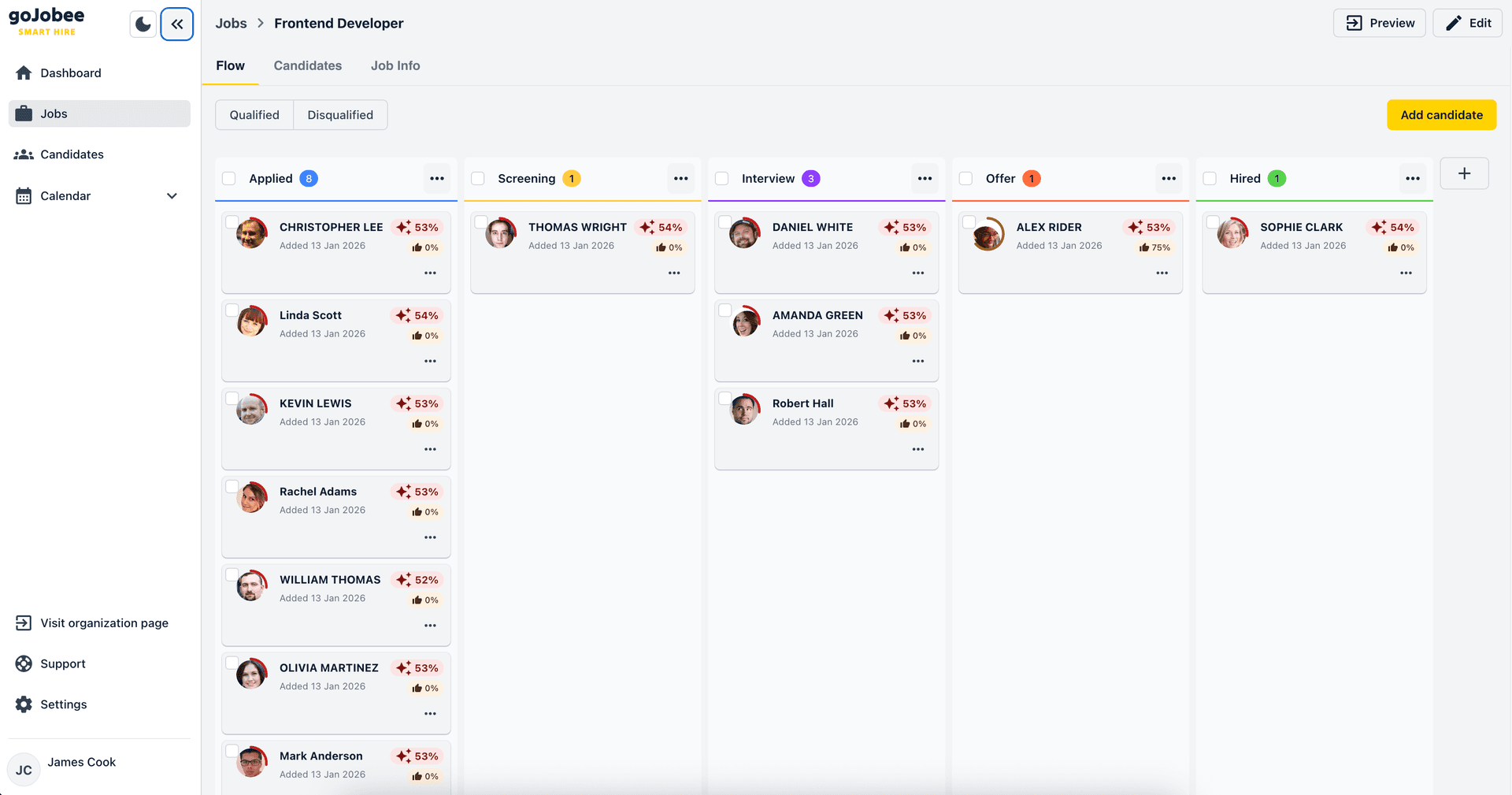
Recruitment Kanban board

Track candidate stages on one board. Adapt columns to your process and keep context with each profile.

Review security and responsible AI

About this feature

A recruitment Kanban board shows candidates and their current stage in one view. Instead of looking for status in a spreadsheet or message thread, your team can open the candidate card and review the process history. Move candidates between stages as hiring progresses. Keep details such as a CV, notes, and communication history with the profile so people involved in the process can return to the information they need.

Key Benefits

  • Move candidate cards between stages
  • Stages that fit your hiring process
  • Candidate tags, filters, and search
  • CV, notes, and communication history with the profile
  • Team comments and activity notifications
Recruitment Kanban board

See the process from application to decision

Each column represents a stage, and each card shows a candidate linked to a job. When a candidate progresses, move the card to the next stage so the team can see the current state of hiring.

  • See which candidates are waiting for a next step.
  • Return to CVs, notes, and contact history without searching several tools.
  • Keep team comments with the candidate profile.

Choose stages that fit the way you hire

Every company runs hiring differently. Start with a short list of stages that matches your decisions, then adjust it as the process evolves.

  • Example: New application, Initial review, Interview, Decision.
  • Add an assignment or another interview stage only if it is part of your process.
  • Agree as a team on what it means to move to the next column.

Ready to upgrade your workflow?

See how GoJobee fits your next recruitment process.