Recruitment email templates

Prepare shared message templates and fill them with candidate, job, or interview details.

Review security and responsible AI

About this feature

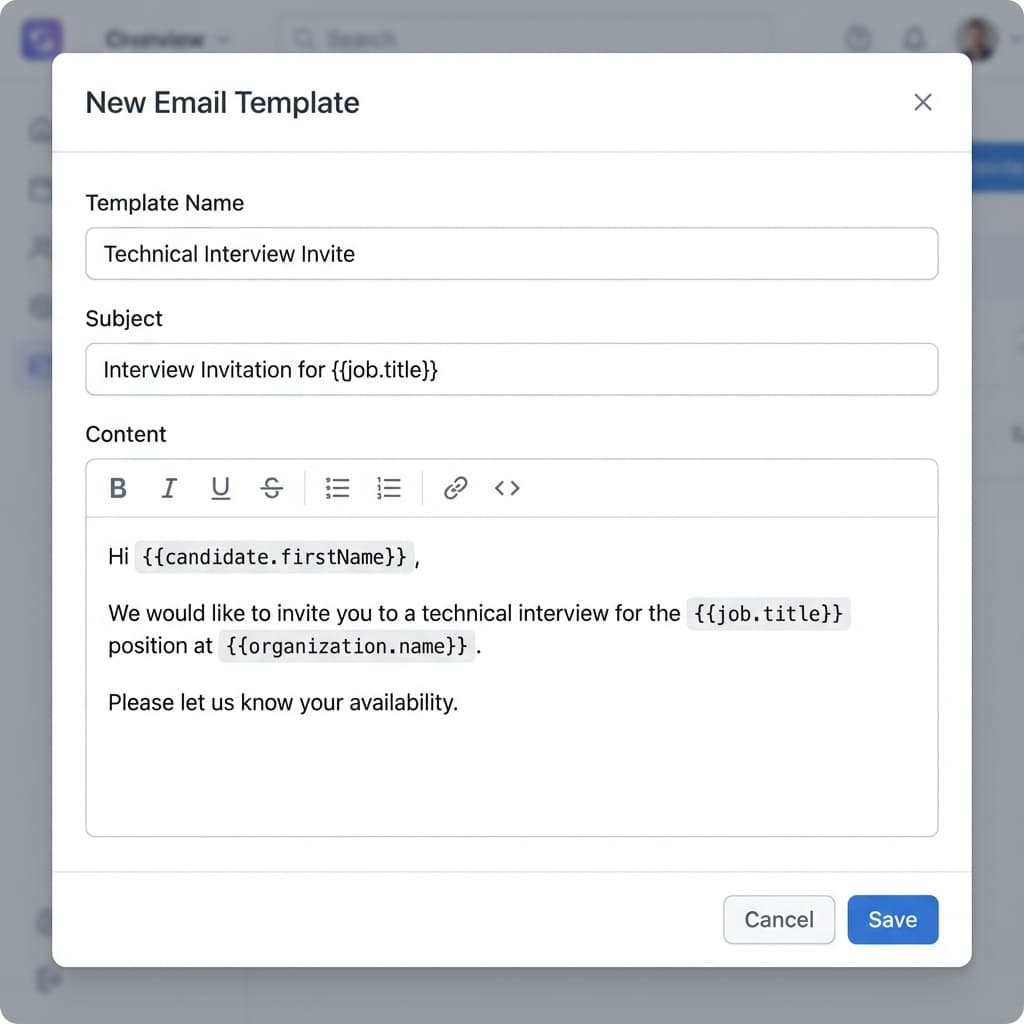
Templates help your team prepare consistent messages for recurring moments in the process: acknowledging an application, inviting someone to an interview, sending a reminder, sharing a stage update, or communicating a decision. Adapt the subject and message to your company’s way of communicating. Use available variables to fill a template with information about a candidate, job, or interview. Preview the result before using it to check how the finished message will look.

Key Benefits

  • Edit message subjects and content
  • Variables for candidates, jobs, stages, and interviews
  • Shared templates available to the team
  • Preview with sample data or a selected record
  • Templates for automations and supported messages
Recruitment email templates

Create templates for recurring moments

Start with the messages your team sends most often. Give each template a clear name and adapt its wording to your company’s tone.

  • Application received confirmation.
  • Interview invitation or meeting reminder.
  • An update about the next stage, an offer, or the end of the process.

Check variables and personalize each message

Variables can insert available information from a candidate profile, job, stage, or interview. Preview the message, verify its details, and add context for the individual conversation.

  • Confirm the candidate name and job title.
  • Check the date and interview details before sending.
  • Use a template as a starting point, not a finished response for every person.

Ready to upgrade your workflow?

See how GoJobee fits your next recruitment process.